New: Use One Email Connection Across Multiple Mailboxes
New Feature
You can now use the same email connection across multiple DoneDone Mailboxes, giving your team more flexibility in how incoming requests are organized.
Instead of connecting a separate email account for every Mailbox, you can reuse an existing connection and control where incoming messages go.
What's New?
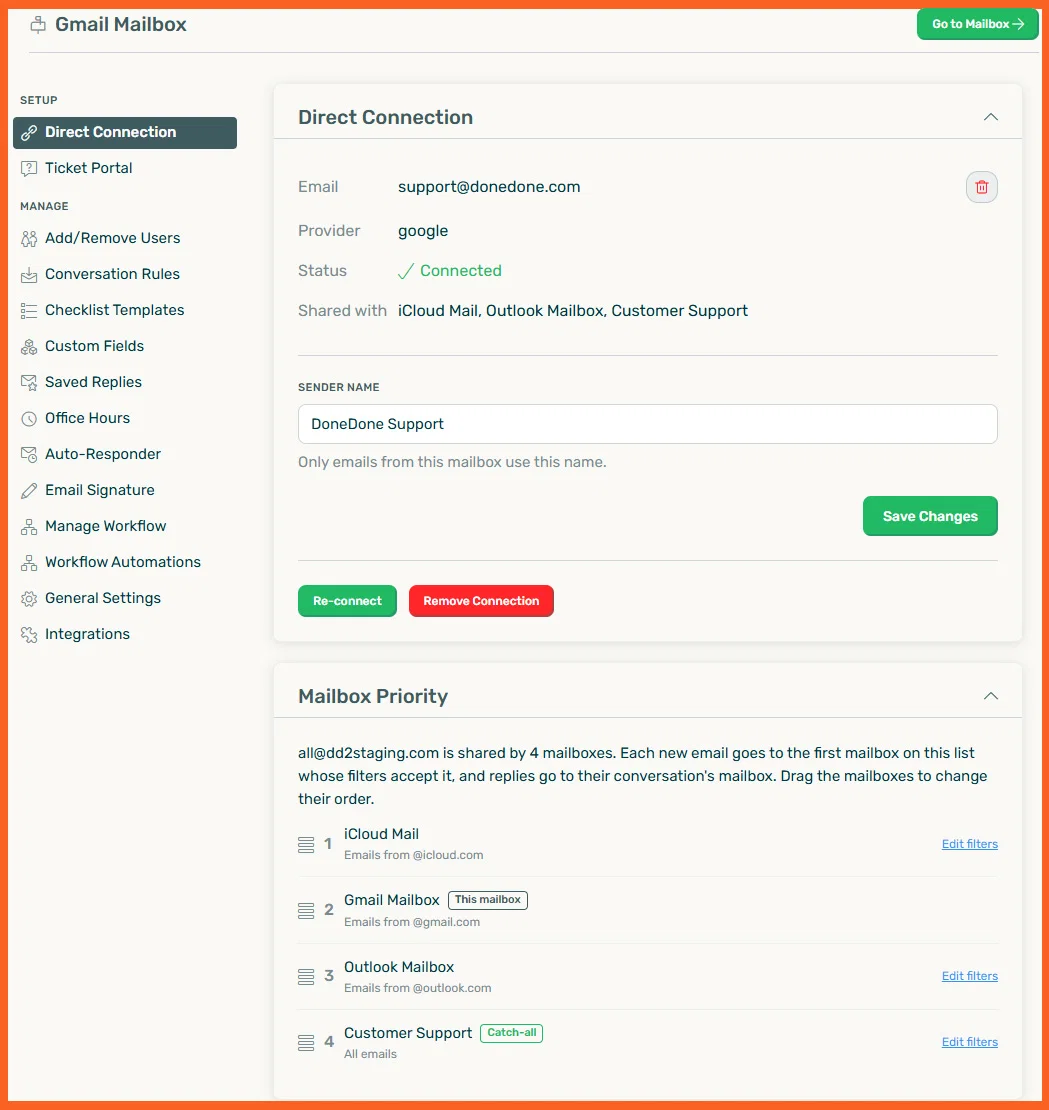
- Reuse existing connections: Connect an email account once and share it across multiple Mailboxes without using additional email connection slots.
- Mailbox Priority: When multiple Mailboxes share a connection, incoming emails go to the first Mailbox whose filters accept them. Simply drag and drop to change the priority order.
- New "Sent to" filters: Allow and block lists now support filtering by recipient email address, making it easier to separate requests sent to different email aliases.
- Keep conversations together: Replies automatically return to the Mailbox where the original conversation lives.
Getting Started
When setting up a new Mailbox, choose Use an Existing Connection and select an email account you've already connected.
From there, configure your filters and Mailbox Priority to control where incoming emails are delivered.
-Thanks for being part of the DoneDone community! 🙏